
What This Guide Fixes Before You Order
If the Yeezy slides you're viewing on FashionReps show different colors, sizes, quantities, or notes across the product page, cart, or checkout page, don't keep clicking buy or rush to pay. This article addresses one issue only: the same product's specification fields become inconsistent during the ordering flow.
This doesn't mean FashionReps has a platform-wide failure. Page updates, unsaved selections, cart caching, agent platform field remapping, or manual data entry errors can all cause similar symptoms. Your goal is to identify where a field first changes and to pause if evidence is insufficient. 🔎
First, Save the FashionReps Product Page's Style, Color, Size, and Link
Go back to the original product detail page and record the following:
- Product name and displayed style
- Full text of the color option
- Size system and specific size, such as EU, US, or other labels
- Purchase quantity
- Product page URL
- Displayed price, update time, or stock notice, if available
- Any notes or additional instructions that appear after you select options
Take a full-page screenshot before changing any options, then separate screenshots showing the color, size, and quantity selected. Screenshots should include the browser address bar, product name, and specification area, but avoid exposing account info, payment details, or full personal data.
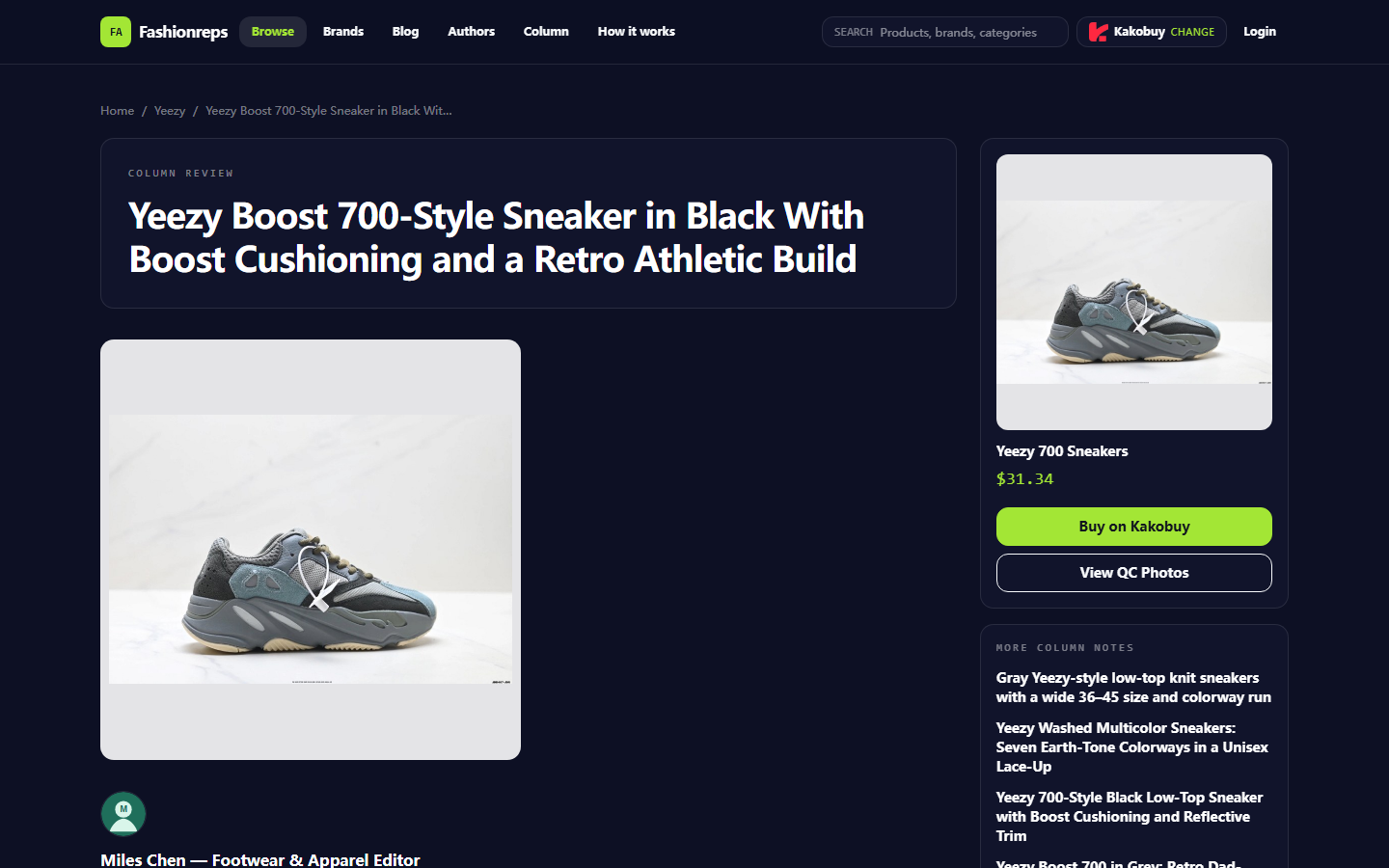
The screenshot below is only meant to illustrate how to identify the product name, specs, and purchase entry on a product detail page. It shows a Yeezy 700–style shoe page on FashionReps, not the Yeezy slides evidence we're verifying in this article.

Product page screenshot example: Focus on the product name, specification selection area, and fields after entering the purchase flow. Do not treat the shoe info in the example page as slide specifications.
Compare Specification Fields Across Product Detail, Cart, and Checkout Pages
Don't compare entire sentences on a page; check each field individually. Create a temporary record like this:
| Field to Check | Product Detail Page | Cart | Checkout Page | Change to Confirm |
|---|---|---|---|---|
| Style | Record original text | Record original text | Record original text | Does a different or default style appear? |
| Color | Record original text | Record original text | Record original text | Does it change to a similar color or code? |
| Size | Record original text | Record original text | Record original text | Are the size system and value consistent? |
| Quantity | Record original text | Record original text | Record original text | Is it reset to a default quantity? |
| Notes | Record original text | Record original text | Record original text | Are they lost, truncated, or rewritten? |
If the product detail page and cart match but checkout differs, focus on the checkout page's specification summary, order notes, and final confirmation area. If the cart already differs, the issue is more likely in adding to cart, option saving, or cart record stage.
Record the price separately, but don't judge specification changes by price alone. Service fees, shipping, discounts, and exchange rates may change on later pages; specification fields should stay recognizably consistent. 💳
Locate the First Change by Color, Size, Quantity, and Notes
Reproduce the flow in this order, saving a screenshot after each step:
- Open the original product detail page and confirm you haven't accidentally opened a similar product or tab.
- Reselect the color; don't rely on the page default.
- Reselect the size and record the size system shown.
- Confirm the quantity is your target quantity.
- Check that the notes are still complete.
- Go to the cart and compare product name, color, size, and quantity one by one.
- Go to the checkout page, but stop before final payment.
- Compare the checkout page's order summary with your earlier screenshots.
If only one field changed, record its original text and the changed text. For example, if the product page shows a color name and the cart shows a color code, you can't assume they are the same option; check whether the page provides a mapping between color names and codes.
If the size is automatically converted from one system to another, don't guess the correspondence yourself. First confirm whether the page clearly labels the conversion rule, then decide whether to continue. For slides especially, size differences can directly affect whether they fit. 📏
Distinguish Page Updates, Unsaved Selections, and Data Entry Errors
Use three questions to narrow down the cause:
First, after refreshing the product detail page, do your original options still appear? If the page resets to a default color or size after refresh, the options may not have been saved successfully, rather than the order system actively modifying them.
Second, if you reselect the same specs from the product page and add to cart again, does the result still change? If the anomaly only happens on the first attempt, it could be browser cache, incomplete page loading, or not waiting for the state to update after clicking.
Third, do the cart and checkout use the same product name, product ID, or source info? If names are similar but IDs differ, you may have selected a different product variant; don't judge sameness by image or title alone.
Don't "test" by repeatedly refreshing, re-adding to cart, or clicking submit multiple times. This can create duplicate entries and make it harder to tell which record matches which specs. Keeping one clear reproduction path is usually more useful than creating more cart records. ⚠️
How to Avoid Duplicate Submissions or Payments When Evidence Is Insufficient
Pause the purchase if any of the following occur:
- The product page, cart, and checkout can't confirm the same color and size at the same time
- Specs only show vague abbreviations with no verifiable full name
- The checkout page's product name is clearly different from the original product page
- The cart shows duplicate items, but you can't confirm which one has the correct specs
- The page says submitted, but order status, order number, or payment status is unclear
- The payment page doesn't show the specific specs you intend to buy
- You can only guess color, style, or size from images
If you've already clicked submit, don't immediately submit again. First check order records, cart status, and payment status in your account; if none of these can confirm, contact official support. Duplicate payments can lead to refund waiting, duplicate orders, and difficulty proving after-sales issues.
At this point, save: original product page screenshot, cart screenshot, checkout screenshot, operation time, browser prompts, order number, and the specific fields that changed. Cover account info, address, phone number, payment card number, and full shipping label before seeking help.
What Screenshots and Fields to Prepare When Contacting Official Support
When asking for help from FashionReps official support channels, keep the problem description short and specific; don't just write "specs are wrong." Include:
- Original product page name and URL
- Color, size, and quantity you selected
- Color, size, and quantity shown in cart
- Color, size, and quantity shown at checkout
- Where the field first changed
- Approximate time and timezone of the operation
- Whether an order was created or paid
- Order number, if generated
- Original page prompt or error text
You can use a description template like this:
"I selected color X, size Y, quantity 1 on the product detail page. Product page showed A, cart showed B, checkout showed C. The field first changed after entering the cart. I haven't paid yet. Please confirm whether the checkout specs match the original product options."
If you've already paid, clearly state the payment status, but don't send full payment card info. Official support needs fields to locate the order and specs, not your entire account details.
Final Action: Complete the Yeezy Slides Consistency Check Before Deciding
Only proceed to the next purchase decision when product name, color, size, quantity, and notes can be matched from product detail page all the way to checkout. If any field still can't be confirmed, stop payment and wait for official clarification.
This verification method doesn't save a fixed amount of money; it helps you avoid duplicate orders, refund waiting, address changes, or after-sales communication costs caused by wrong specs. It's better suited for first-time buyers, uncertain sizes, many color options, or pages that show both product description and variant codes.
If you can confirm the change is just in page display format, but the actual product ID, color mapping, and size remain consistent, you can continue checking price, shipping, and after-sales conditions. If you can't prove that two specs point to the same product, or the checkout page shows colors and sizes you didn't select, don't adopt a "pay first, talk later" approach. 🛑
Agent Platform Shopping FAQ
1. For your first time on mulebuyus.com, what key things should you pay attention to?
Users who access mulebuyus.com's Taobao agent for the first time through a spreadsheet typically receive a welcome shipping discount package. Additionally, you should review the step-by-step shopping tutorial for new users.
2. Can you explain what QC photos are on mulebuyus.com?
Every drop-shipping platform, including mulebuyus.com, employs a specialized quality control department. After your items reach the mulebuyus.com warehouse, staff perform a quality check and capture QC photos of your products. Usually three photos are taken, and they confirm that the color, size, specifications, and quantity of the items correspond to your order. They also look for any quality defects. This does not apply to electronic products, where only the external appearance is examined. If any quality problems or incorrect size or color are found, the team will immediately initiate a return with the seller. This process ensures you receive high-quality products.
3. Which platform has the most cost-effective coupon codes, for example mulebuyus.com?
I suggest considering Kakobuy, as it presently provides a $15 discount code without any minimum spend. This is beneficial for customers purchasing small packages. The promo code is kakobuy888.
4. What is the purpose of using spreadsheets with mulebuyus.com?
Agent platforms such as mulebuyus.com generally do not list products directly, so a spreadsheet is necessary to look up the items you want and obtain their purchase links. You can also ask for assistance on Reddit or Discord; the products suggested on these platforms are typically excellent, but the buying process can be quite slow. These spreadsheets are usually created over a long time by collecting information from these sources.